WordPress development involves building, customizing, and improving WordPress websites through coding, integrations, and technical solutions that support business growth.
By Rob Campbell
WordPress powers everything from small business websites to complex online platforms, but building a dependable website involves more than choosing a theme and adding content. For businesses in Nashville and Middle Tennessee, understanding WordPress development can help determine when standard website features are sufficient and when custom programming is necessary. Whether you're launching a new website or improving an existing one, knowing how development works can help you make better technical and financial decisions.
What Is WordPress Development?
WordPress development is the process of building, customizing, and maintaining websites using the WordPress content management system (CMS). It involves configuring website functionality, writing or modifying code, developing custom features, and connecting WordPress with other software applications.
WordPress itself is an open-source platform, meaning its underlying software is publicly available and can be modified to meet specific requirements. Businesses can use WordPress without programming knowledge, but more sophisticated functionality often requires an experienced developer.
Common WordPress development tasks include:
- Custom theme development: Creating or modifying the technical structure and templates that control how website content is displayed.
- Plugin development: Building software extensions that introduce specialized functionality.
- Database customization: Organizing and managing website information beyond standard pages and posts.
- Third-party integrations: Connecting WordPress with customer relationship management (CRM) systems, scheduling tools, payment services, and other business software.
- Performance optimization: Improving how efficiently the website processes requests, loads content, and uses server resources.
- Security improvements: Implementing safeguards that help protect website files, databases, administrative accounts, and customer information.
For a Nashville service business, development might involve connecting a quote request form directly to a CRM. A company operating across multiple Middle Tennessee locations might need custom functionality to manage regional services, locations, or customer inquiries.
The objective is to make WordPress function according to the business's operational requirements rather than forcing the business to work around limitations in its website.
WordPress Development vs. Web Design: What's Different?
WordPress development focuses on how a website functions, while web design concentrates on how it looks and how visitors interact with it.
Although these disciplines overlap, they require different technical skills and solve different business problems.
Web design typically involves:
- Creating page layouts and visual elements.
- Selecting typography, colors, and imagery.
- Establishing brand consistency.
- Planning the visitor experience.
- Designing responsive layouts for mobile devices.
WordPress development typically involves:
- Programming custom website functionality.
- Creating or modifying themes and plugins.
- Configuring databases and server-side operations.
- Connecting external applications.
- Troubleshooting technical problems.
- Improving security, compatibility, and performance.
Consider a Nashville contractor who needs a website where customers can request appointments.
A designer determines how the appointment form looks, where it appears, and how easily visitors can use it. A developer ensures submitted information reaches the correct system, validates the information, and triggers the necessary business processes.
Both roles contribute to a successful project.
At Nashville Web Solutions, our approach to professional web design combines visual presentation with technical functionality. A website should represent your business professionally while supporting the operations that happen behind the scenes.
What Coding Languages Does WordPress Use?
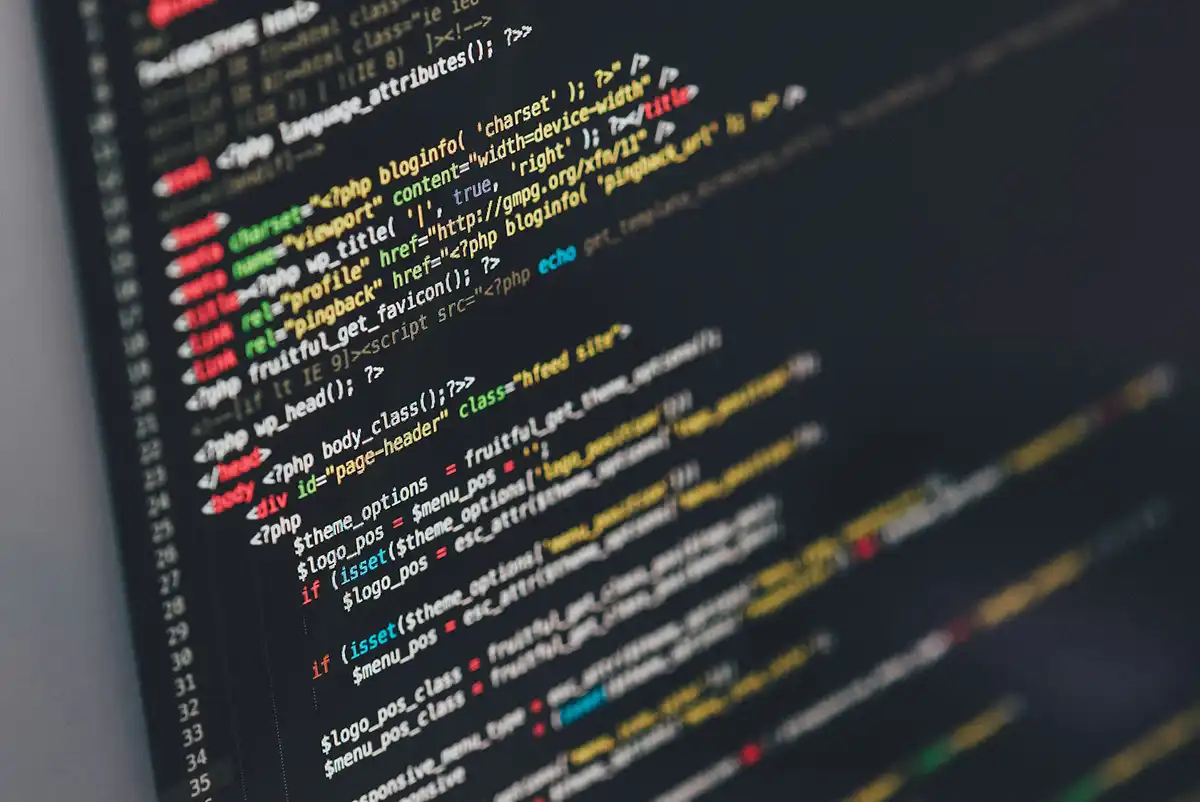
WordPress primarily uses PHP, HTML, CSS, JavaScript, and a database system such as MySQL or MariaDB. Each technology performs a specific function, allowing the platform to generate pages, process information, and respond to user interactions.
Understanding their basic responsibilities can help business owners recognize why certain website modifications require programming experience.
PHP: Server-Side Functionality
PHP is the primary server-side programming language used by WordPress.
It processes requests, retrieves information from databases, manages application logic, and generates dynamic website content.
For example, PHP code can determine which services appear on a location-specific page based on information stored in the website's database.
HTML and CSS: Structure and Presentation
HTML defines the structure of website content, including headings, paragraphs, images, forms, and other elements.
CSS controls how those elements appear, including spacing, typography, colors, and responsive layouts.
These technologies work together to present information consistently across devices.
JavaScript: Interactive Features
JavaScript adds interactive behavior to websites.
It can power dynamic forms, interactive maps, real-time calculations, and content that updates without requiring an entire page to reload.
Modern WordPress editing tools also rely heavily on JavaScript.
MySQL and MariaDB: Database Management
WordPress stores much of its content and configuration data in a relational database, typically MySQL or MariaDB.
This includes pages, posts, user accounts, settings, and information created by plugins.
The database works with PHP to retrieve and update information whenever visitors interact with the website.
The official WordPress technical requirements explain the server technologies needed to operate the platform.
An experienced developer understands how these technologies interact and how changes to one component can affect the others.
What Are Front-End and Back-End WordPress Development?
Front-end development handles the parts of a WordPress website visitors see and interact with, while back-end development manages the systems that process information and provide functionality behind the scenes.
Both are necessary for websites that perform more than basic content presentation.
Front-End Development
Front-end developers work with the website's visible interface.
Their responsibilities may include:
- Building interactive page components.
- Implementing responsive behavior.
- Creating custom forms and navigation elements.
- Ensuring interfaces work across browsers.
- Improving the efficiency of client-side code.
A front-end developer might create an interactive service estimator that allows customers to select options and immediately see a calculated estimate.
Back-End Development
Back-end developers handle server-side processing, databases, authentication, and application functionality.
Their responsibilities may include:
- Creating custom database queries.
- Processing form submissions.
- Developing specialized WordPress plugins.
- Managing user permissions.
- Connecting external business systems.
- Implementing secure data exchanges.
For example, a back-end developer could build functionality that sends customer inquiries to a scheduling platform while recording relevant information in WordPress.
A developer experienced in both areas is often called a full-stack developer.
For business owners, the distinction matters because a website problem that appears visual may actually originate in the database, PHP code, or server configuration.
How Does the WordPress Development Process Work?
The WordPress development process generally follows several stages: requirements gathering, technical planning, implementation, testing, deployment, and ongoing support.
The complexity of each stage depends on the website's requirements.
1. Discovery and Requirements
The process begins by identifying what the business needs the website to accomplish.
This includes reviewing existing systems, operational challenges, desired functionality, and technical limitations.
A developer should understand the business problem before recommending software or writing code.
2. Technical Planning
Once requirements are clear, the developer determines the most appropriate implementation.
Possible approaches include configuring an existing plugin, extending WordPress functionality, developing custom code, or integrating an external service.
The goal is to select a solution that meets current requirements without creating unnecessary technical complexity.
3. Development and Configuration
The developer implements the approved functionality.
Work may include PHP programming, database configuration, theme modifications, custom plugins, or API integrations.
More complex changes should generally be performed in a staging environment, which is a separate copy of the website used for development and testing.
4. Testing and Quality Assurance
Before deployment, the developer checks whether the new functionality works correctly.
Testing may include:
- Functional testing of forms and interactive features.
- Browser and device compatibility checks.
- Database and integration verification.
- Security and permission checks.
- Performance evaluation.
- Compatibility testing with existing plugins.
5. Deployment and Ongoing Support
After testing, approved changes are moved to the live website.
A responsible deployment includes appropriate backups, verification that important features still work, and a rollback plan if problems occur.
At Nashville Web Solutions, our technical background in web hosting, server administration, and IT support informs how we approach website changes. Reliable development requires understanding the infrastructure supporting the application.
How Has AI Changed WordPress Development?
Artificial intelligence has made certain WordPress development tasks faster by assisting with code generation, troubleshooting, documentation, and repetitive programming work.
However, AI-generated code still requires technical review, testing, and an understanding of WordPress architecture.
Developers can use AI tools to:
- Generate initial PHP or JavaScript code.
- Identify potential programming errors.
- Explain unfamiliar functions.
- Draft technical documentation.
- Suggest alternative implementation approaches.
- Assist with automated testing.
These capabilities can improve development efficiency, particularly when working with repetitive tasks or established programming patterns.
However, AI tools can produce code that appears correct while containing security weaknesses, outdated functions, or compatibility problems.
For example, AI might generate a custom form handler without properly validating user input or verifying that the current user has permission to perform an action.
Those omissions can introduce significant security risks.
Professional developers must still evaluate generated code against WordPress coding practices, verify compatibility, and test functionality before deploying changes.
AI can accelerate development, but it does not eliminate the need for experienced technical judgment.
For business owners, the important question is whether the resulting solution is secure, maintainable, and appropriate for the website's operational requirements.
When Does a Business Need Custom WordPress Development?
Custom WordPress development becomes necessary when existing themes, plugins, and built-in features cannot adequately support a business requirement.
Many small business websites operate successfully using standard WordPress functionality. Custom programming becomes more valuable as operational processes, integrations, and technical requirements become more specialized.
Consider several common situations.
Specialized Customer Workflows
A service company might need customers to complete a multi-step quote request that calculates pricing based on location, project size, and selected services.
A standard contact form may not provide the required logic.
Custom development can create a workflow tailored to the company's estimating process.
Complex Business Data
A company serving Nashville, Franklin, and Murfreesboro might maintain different services, staff members, or availability by location.
Custom content types and database relationships can make this information easier to manage without duplicating website pages or administrative work.
Internal Business Portals
Some businesses need password-protected areas where employees, customers, or partners can access specific information.
Developers can implement user roles, permissions, dashboards, and controlled access to appropriate records.
Limitations in Existing Plugins
Plugins provide convenient functionality, but they may introduce unnecessary features, recurring licensing expenses, or compatibility concerns.
When an existing plugin cannot meet an important requirement, custom development may provide a more appropriate solution.
However, custom code also introduces maintenance responsibilities.
The best choice depends on the technical requirements, available budget, and long-term support expectations.
Can WordPress Integrate With Business Software?
Yes. WordPress can connect with many business applications through APIs, plugins, webhooks, and custom programming.
An application programming interface (API) allows separate software systems to exchange information using defined rules.
A webhook allows one system to notify another when a particular event occurs.
These technologies help reduce repetitive data entry and improve communication between business systems.
Common integration opportunities include:
- CRM platforms: Transfer website inquiries into customer management systems.
- Appointment scheduling: Connect booking forms with calendars and scheduling software.
- Payment processing: Accept transactions through compatible payment services.
- Accounting systems: Exchange appropriate order, invoice, or customer information.
- Inventory management: Synchronize product availability across connected systems.
- Marketing automation: Send customer information to approved marketing platforms.
- Customer portals: Display authorized account information retrieved from external applications.
WordPress includes a built-in REST API that developers can use to exchange website information with external applications.
The official WordPress REST API documentation explains the available endpoints and data structures.
Not every integration requires custom programming. Some software providers offer maintained WordPress plugins.
However, custom development may be required when a business needs specialized data mapping, authentication, error handling, or workflows that existing integrations cannot accommodate.
Security is particularly important when exchanging customer information. Integrations should use appropriate authentication, encrypted connections, and access controls.
For Nashville businesses managing several disconnected software systems, integration can be one of the most practical reasons to invest in professional development.
What Are the Pros and Cons of WordPress for Business Websites?
WordPress offers significant flexibility, extensive customization options, and control over website content. Its primary disadvantages involve ongoing maintenance responsibilities, potential plugin conflicts, and the technical complexity introduced by extensive customization.
Understanding these tradeoffs helps businesses determine whether WordPress is appropriate for their needs.
Advantages of WordPress
Open-source flexibility: Businesses can modify the platform and develop functionality without depending entirely on one proprietary website builder.
Extensive plugin ecosystem: Thousands of available extensions can add functionality without requiring every feature to be programmed from scratch.
Content management: Authorized employees can update pages, publish articles, and manage website information through an administrative interface.
Customization: Developers can create specialized features, layouts, integrations, and workflows.
Scalability: WordPress can support increasingly complex websites when its architecture, hosting resources, and application code are designed appropriately.
Disadvantages of WordPress
Maintenance requirements: WordPress core software, plugins, themes, and server components require ongoing attention.
Plugin compatibility: Extensions developed by different providers can conflict or become incompatible after updates.
Security exposure: Outdated software, weak authentication, and poorly written custom code can introduce vulnerabilities.
Performance challenges: Excessive database queries, inefficient plugins, and inadequate hosting infrastructure can slow down the website.
Technical complexity: Advanced customization may require professional programming and ongoing support.
WordPress is generally a strong option for businesses that value flexibility and control.
However, the platform's capabilities depend heavily on how the website is developed and maintained.
How Long Does WordPress Development Take?
WordPress development timelines vary depending on the amount of customization, integration complexity, existing website conditions, and testing requirements.
A straightforward configuration change may require considerably less work than a custom application or integration involving several external systems.
Factors that influence development time include:
- Project scope: More features generally require additional development and testing.
- Custom functionality: Unique business workflows require planning, programming, and validation.
- Third-party dependencies: External APIs, vendor documentation, and access approvals can affect progress.
- Existing website condition: Outdated plugins, undocumented code, or database problems may require corrective work.
- Client feedback: Timely reviews and approvals help prevent unnecessary delays.
- Testing requirements: Complex websites require additional compatibility, security, and functionality checks.
A small enhancement might be completed relatively quickly, while a substantial custom project could require weeks or months.
Business owners should request a clearly defined project scope, milestones, and an explanation of technical dependencies.
A reliable developer should explain which factors could affect the schedule rather than promising an unrealistic completion date.
How Much Does WordPress Development Cost?
WordPress development costs depend on the technical complexity of the project, the amount of custom programming required, and the level of testing and support involved.
There is no universal price because modifying an existing feature is fundamentally different from developing a specialized business application.
Several factors influence the investment.
Complexity of Custom Features
Simple adjustments to existing functionality generally require less development effort than building a new plugin or database-driven application.
Features involving calculations, business rules, or multiple user roles typically increase development complexity.
External Software Integrations
Connecting WordPress with another platform may require API development, authentication configuration, and data synchronization.
Some services also charge separate subscription or API usage fees.
Existing Technical Problems
Websites with outdated code, incompatible plugins, or poorly structured databases may require remediation before new functionality can be added safely.
These issues can affect both cost and project scope.
Testing and Ongoing Support
Development expenses may include staging environments, quality assurance, deployment, documentation, and future maintenance.
Businesses should distinguish between the initial development investment and recurring operational expenses.
A useful proposal should explain:
- What functionality will be delivered.
- Which third-party services or licenses are required.
- What testing is included.
- Whether hosting or ongoing support is included.
- How future modifications will be handled.
- What happens if requirements change during development.
At Nashville Web Solutions, project pricing depends on the work involved. We believe business owners benefit from understanding the technical requirements and available options before committing to a solution.
The lowest initial quote is not necessarily the most economical choice if the resulting website requires frequent repairs or expensive modifications.
What Are Common WordPress Development Mistakes?
Common WordPress development mistakes include modifying core files, installing unnecessary plugins, deploying untested changes, ignoring security practices, and failing to account for long-term maintenance.
These problems can create reliability issues that become more expensive to resolve as a website grows.
Modifying WordPress Core Files
Direct modifications to WordPress core files can be overwritten during software updates.
Developers should generally implement custom functionality through appropriate themes, plugins, hooks, and supported APIs.
Installing Too Many Plugins
Every additional plugin introduces code that must be maintained and evaluated for compatibility.
A large plugin count does not automatically make a website slow or insecure, but unnecessary or poorly maintained extensions can increase technical risk.
Making Changes Directly on a Live Website
Editing critical functionality on a production website can interrupt customer-facing services.
Staging environments allow developers to test changes before deployment, reducing the likelihood of unexpected disruptions.
Ignoring Security During Development
Poorly implemented authentication, insufficient input validation, and improperly handled database queries can expose websites to exploitation.
The NIST Secure Software Development Framework provides established practices for reducing vulnerabilities throughout the software development lifecycle.
Overlooking Server Infrastructure
Even well-written code can perform poorly when hosting resources are inadequate or incorrectly configured.
Server software, PHP compatibility, caching, database performance, and storage technology can influence website responsiveness.
Our WordPress hosting services at Nashville Web Solutions emphasize managed infrastructure, security monitoring, backups, and performance optimization.
Failing to Document Customizations
Undocumented functionality becomes difficult to troubleshoot when the original developer is unavailable.
Maintaining technical documentation, organized source code, and appropriate access credentials makes future changes more manageable.
The objective is to create a website that other qualified developers can understand, maintain, and extend.
How Do You Choose a Reliable WordPress Developer?
A reliable WordPress developer should demonstrate practical programming experience, understand server-side infrastructure, follow established security practices, and communicate technical decisions in language business owners can understand.
Visual portfolios are useful, but they do not necessarily demonstrate a developer's ability to solve complicated technical problems.
Before hiring a developer, consider asking these questions:
- What experience do you have with custom PHP development? Understanding PHP is important when modifying WordPress functionality beyond standard configuration.
- Can you explain how you would approach our specific requirements? A qualified developer should discuss available solutions and their tradeoffs.
- Do you use staging environments and test changes before launch? Testing helps protect business operations from avoidable disruptions.
- How do you handle WordPress security? Look for an understanding of authentication, data validation, permissions, and software maintenance.
- Can you troubleshoot hosting and database problems? Development issues frequently extend beyond the website's visible interface.
- How will custom code be documented and maintained? Your website should remain manageable if your technical requirements change.
- What happens when something breaks? Clarify support arrangements, responsibilities, and how issues are handled after deployment.
Experience across multiple technical disciplines can be particularly valuable.
A developer who understands networking, server administration, databases, application security, and business operations can recognize problems that might otherwise be treated as isolated website issues.
Why Technical Experience Matters
Nashville Web Solutions brings over 25 years of experience across IT support, server security, hosting, and web development.
Our technical background began in 1999 and evolved through infrastructure management, network security, and web solutions. Since 2019, we have served businesses throughout Nashville and Middle Tennessee.
That experience helps us evaluate the broader environment in which a WordPress website operates.
For example, a slow website might suffer from inefficient PHP code, excessive database queries, poorly configured caching, or insufficient server resources.
Replacing a theme will not necessarily fix those problems.
Identifying the underlying cause requires looking beyond the visible symptoms and understanding how the application and infrastructure work together.
Business owners should expect that level of technical reasoning when choosing a development partner.
Conclusion: Is Professional WordPress Development Right for Your Business?
Professional WordPress development is worth considering when your website needs functionality that standard tools cannot provide reliably, when existing technical limitations interfere with operations, or when your business requires more sophisticated software integrations.
For smaller websites with straightforward requirements, properly configured WordPress themes and plugins may be sufficient. More complex business workflows, custom databases, and integration requirements often benefit from experienced development.
The most important consideration is whether your website can support your business efficiently, securely, and reliably as your needs change.
At Nashville Web Solutions, we combine more than 25 years of technical experience with practical business-focused solutions. We help companies throughout Nashville, Franklin, Murfreesboro, and Middle Tennessee identify technical challenges and make informed decisions about their websites.
If your WordPress website is struggling with technical limitations, needs specialized functionality, or must connect with other business systems, learn how our professional WordPress development services can help you build a more dependable and scalable solution.
About the Author
Rob Campbell is a veteran IT and digital marketing professional with over 25 years of experience, serving businesses across Nashville and Middle Tennessee. As the founder of Nashville Web Solutions, he leads a team that delivers results-driven solutions in web design, SEO, hosting, ADA compliance, email systems, review management, and remote IT support. His journey began in IT support and network security in the late 1990s, later evolving into web development and digital strategy with the launch of Thinking2, Inc., the parent company of Nashville Web Solutions.
Since relocating his business to Nashville in 2019, Rob has become a trusted partner for local organizations, guiding them through digital transformation with measurable results. His proven work includes boosting organic traffic by over 2,200%, executing seamless Microsoft 365 migrations, and building SEO-optimized websites that elevate visibility and growth. Known for blending technical precision with creative strategy, Rob continues to help Middle Tennessee businesses thrive online through innovative, reliable, and scalable digital solutions.